20 ways Google can make your life easier
Karan Bajaj & Hitesh Raj Bhagat explore some of the useful ways in which you can use Google.

What if you get all the info you need for any internet related activity in one interface, without delay & without opening a bunch of different websites? That’s exactly what Google aims to do. Karan Bajaj & Hitesh Raj Bhagat explore some of the useful ways in which you can use Google.
FIND FLIGHT DETAILS
When you type in a flight number (eg: 6E 322, for Indigo 322 from Guwahati to Mumbai via Kolkata), Google will instantly tell you what time it left the origin, expected arrival time and other info like terminal/gate (if available). Check this when you’re going to receive someone at the airport.
BOOK HOTELS
Type in any hotel name & city to see a list of competitive room rates and ratings. You can click through to read reviews and if you know which hotel you want, proceed straight to checking the availability and booking your room.
CONVERT ANYTHING
The conversion engine is powerful. If you need instant currency conversions with the latest market rates, just type it. For instance, you can type 550 GBP to INR for Pounds to Indian Rupees. Or 100 USD to INR for US Dollars. If you don’t know the currency code, you can also get results by typing 100 US dollars to Indian Rupees. The same works for all sorts of unit conversions too (sq. feet, kms, inches, miles and so on).
COMPARE NUTRITION INFORMATION
Weight watchers need to count calories and you can use Google to compare the calorific value of different foods. For instance, type hamburger vs spaghetti to get an instant comparison table on calories, carbs and vitamins for a specific amount of food.
SET A TIMER
Use the words ‘set a timer for’ or ‘timer 10 minutes’ to instantly set a timer within the browser. You can maximise the page for a full screen timer with large fonts (to be read across a room) or minimise the browser and keep working — it will beep once over.
INSTANT LANGUAGE TRANSLATIONS
Google Translate offers lots of functionality, but if you only need a quick word or phrase translated, just use normal language to ask ‘can you help me in French’. Not only does it show you the text translation but also shows you how to speak it.
ETYMOLOGY
This is the study of words and their origin. Trivia nerds can just type etymology followed by the word that they need info for. You’ll get phonetics, meaning, origin, history, usage over time and the option to translate it into various languages.
PLAY A QUICK GAME
Type zerg rush into the search bar for a quick game. A swarm of O’s will come and attack the search results and you have to click on them to ‘kill’ them. In Google image search, type Atari breakout and play using the left-right keys. A BIT OF FUN Type ‘tilt’ & search to see what happens. Or type ‘do a barrel roll’. Star Trek fans will enjoy Google Klingon and for a quick look at some of Google’s wacky extras, head to www.elgoog.im (I’m Google in reverse) — although the site is not really affiliated with Google. Here, you can see some of the classics like the snake game doodle, a playable Pac Man, the Les Paul playable guitar and gravity effects.
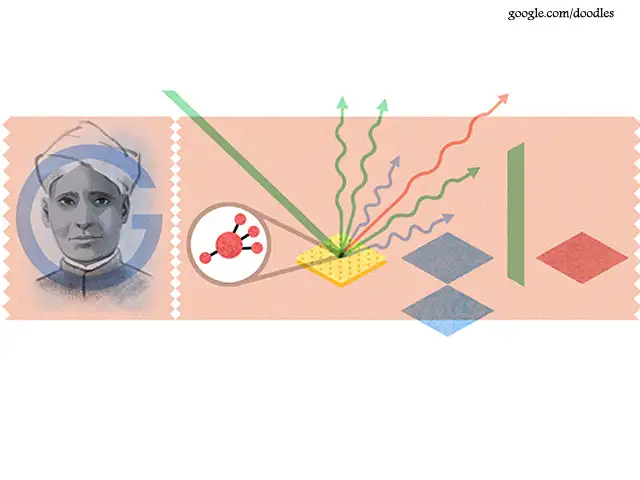
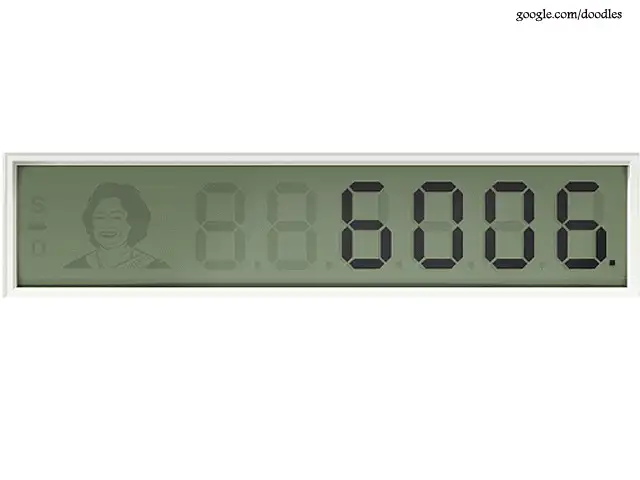
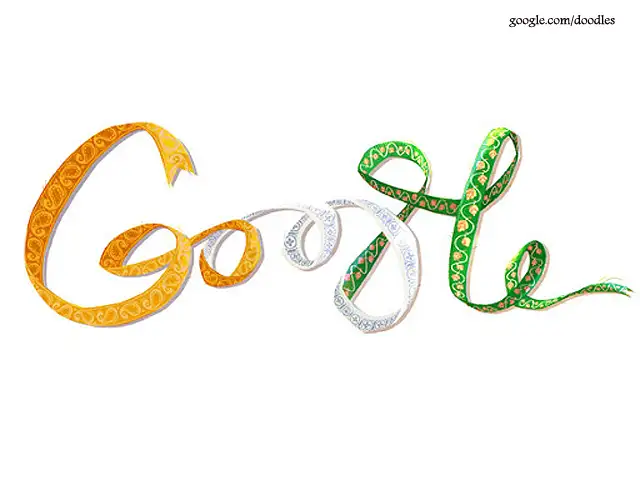
REVISIT ANY DOODLE
Some of the doodles that Google creates for its home page are truly spectacular. You can access all past doodles (even the country-specific ones) by heading to www. google.com/doodles.
CHECK UPDATED SCORES FOR A GAME
To get scores for ongoing sporting events, search for the team name followed by ‘score’. It will also give you a quick look at the overall schedule of the team.
GET WEATHER FOR ANY CITY
You can get a quick weather report (including a week’s forecast) for any city in the world by typing weather followed by the city name. Similarly you can also get the sunrise/sunset time of a city by typing Sunrise or Sunset before the city name.
MOVIE RELEASE DATES
Add ‘release date’ in front of a movie name to find out when it is hitting the theatres in the US. If you want the release date for a specific country, add the country name after the movie name (release date Avengers 2 India). You can also search for movie show times near you by typing ‘movie’ followed by city name.
INFO ON ANY AUTHOR/ACTOR
If you want to know about a particular actor, author, director or other celebrity, search for their full name in Google. Google collates a lot of info on them to show you everything at a glance.
DEFINITIONS OF ANY WORD
Type ‘Define’ followed by the word in the search bar. Google will show the meaning of the word along with synonyms as well as an audio clip on how the word is to be pronounced
CALCULATE THE EXACT TIP
Search for ‘Tip Calculator’ to bring up a box for this — it also calculates tip per person. Note that this is in USD though it hardly matters when calculating the tip as a percentage.
GET TV EPISODE INFORMATION
Quite like with movies, when you search for a TV show by name, it will display information about the cast, director as well as an episode list for quick reference. Note that this only works for TV shows that are currently being aired in the US.
FIND LOCAL BUSINESSES NEAR YOU
You can search for specific businesses in any location. Search for the type of business and location to see results with map location. If you do not mention a specific location, Google will automatically show the business places around your current location.
LET ME GOOGLE THAT FOR YOU
When someone asks you something simple (and they should have just
Googled in the first place), head to www.lmgtfy.com (the URL is the abbreviated form of ‘let me google that for you’). Type in a search word/phrase and the site will create a URL for you to share with that person. Share the URL for some fun. The site is not affiliated with Google, even though it lets you search normally.
GET DETAILED STOCK UPDATES
Type in ‘stock’ followed by the name of any listed company to view an up-to-date graph on how the company is performing in NASDAQ. It also shows you a trend graph for 1 day, 1 month or even 5 years.
FIND FLIGHT DETAILS
When you type in a flight number (eg: 6E 322, for Indigo 322 from Guwahati to Mumbai via Kolkata), Google will instantly tell you what time it left the origin, expected arrival time and other info like terminal/gate (if available). Check this when you’re going to receive someone at the airport.
BOOK HOTELS
Type in any hotel name & city to see a list of competitive room rates and ratings. You can click through to read reviews and if you know which hotel you want, proceed straight to checking the availability and booking your room.
CONVERT ANYTHING
ADVERTISEMENT
The conversion engine is powerful. If you need instant currency conversions with the latest market rates, just type it. For instance, you can type 550 GBP to INR for Pounds to Indian Rupees. Or 100 USD to INR for US Dollars. If you don’t know the currency code, you can also get results by typing 100 US dollars to Indian Rupees. The same works for all sorts of unit conversions too (sq. feet, kms, inches, miles and so on).
COMPARE NUTRITION INFORMATION
Weight watchers need to count calories and you can use Google to compare the calorific value of different foods. For instance, type hamburger vs spaghetti to get an instant comparison table on calories, carbs and vitamins for a specific amount of food.
SET A TIMER
ADVERTISEMENT
Use the words ‘set a timer for’ or ‘timer 10 minutes’ to instantly set a timer within the browser. You can maximise the page for a full screen timer with large fonts (to be read across a room) or minimise the browser and keep working — it will beep once over.
INSTANT LANGUAGE TRANSLATIONS
ADVERTISEMENT
Google Translate offers lots of functionality, but if you only need a quick word or phrase translated, just use normal language to ask ‘can you help me in French’. Not only does it show you the text translation but also shows you how to speak it.
ETYMOLOGY
This is the study of words and their origin. Trivia nerds can just type etymology followed by the word that they need info for. You’ll get phonetics, meaning, origin, history, usage over time and the option to translate it into various languages.
PLAY A QUICK GAME
Type zerg rush into the search bar for a quick game. A swarm of O’s will come and attack the search results and you have to click on them to ‘kill’ them. In Google image search, type Atari breakout and play using the left-right keys. A BIT OF FUN Type ‘tilt’ & search to see what happens. Or type ‘do a barrel roll’. Star Trek fans will enjoy Google Klingon and for a quick look at some of Google’s wacky extras, head to www.elgoog.im (I’m Google in reverse) — although the site is not really affiliated with Google. Here, you can see some of the classics like the snake game doodle, a playable Pac Man, the Les Paul playable guitar and gravity effects.
REVISIT ANY DOODLE
Some of the doodles that Google creates for its home page are truly spectacular. You can access all past doodles (even the country-specific ones) by heading to www. google.com/doodles.
CHECK UPDATED SCORES FOR A GAME
To get scores for ongoing sporting events, search for the team name followed by ‘score’. It will also give you a quick look at the overall schedule of the team.
GET WEATHER FOR ANY CITY
You can get a quick weather report (including a week’s forecast) for any city in the world by typing weather followed by the city name. Similarly you can also get the sunrise/sunset time of a city by typing Sunrise or Sunset before the city name.
MOVIE RELEASE DATES
Add ‘release date’ in front of a movie name to find out when it is hitting the theatres in the US. If you want the release date for a specific country, add the country name after the movie name (release date Avengers 2 India). You can also search for movie show times near you by typing ‘movie’ followed by city name.
INFO ON ANY AUTHOR/ACTOR
If you want to know about a particular actor, author, director or other celebrity, search for their full name in Google. Google collates a lot of info on them to show you everything at a glance.
DEFINITIONS OF ANY WORD
Type ‘Define’ followed by the word in the search bar. Google will show the meaning of the word along with synonyms as well as an audio clip on how the word is to be pronounced
CALCULATE THE EXACT TIP
Search for ‘Tip Calculator’ to bring up a box for this — it also calculates tip per person. Note that this is in USD though it hardly matters when calculating the tip as a percentage.
GET TV EPISODE INFORMATION
Quite like with movies, when you search for a TV show by name, it will display information about the cast, director as well as an episode list for quick reference. Note that this only works for TV shows that are currently being aired in the US.
FIND LOCAL BUSINESSES NEAR YOU
You can search for specific businesses in any location. Search for the type of business and location to see results with map location. If you do not mention a specific location, Google will automatically show the business places around your current location.
LET ME GOOGLE THAT FOR YOU
When someone asks you something simple (and they should have just
Googled in the first place), head to www.lmgtfy.com (the URL is the abbreviated form of ‘let me google that for you’). Type in a search word/phrase and the site will create a URL for you to share with that person. Share the URL for some fun. The site is not affiliated with Google, even though it lets you search normally.
GET DETAILED STOCK UPDATES
Type in ‘stock’ followed by the name of any listed company to view an up-to-date graph on how the company is performing in NASDAQ. It also shows you a trend graph for 1 day, 1 month or even 5 years.
Download
The Economic Times Business News App for the Latest News in Business, Sensex, Stock Market Updates & More.
The Economic Times Business News App for the Latest News in Business, Sensex, Stock Market Updates & More.
Related Articles
 Delhi data centre fire sees Google Cloud reroute traffic network capacity2026-06-10T12:05:20Z
- Specs stopped selling smartphones. Intelligence is the new benchmark - A breakdown of Google I/O and Apple’s WWDC 20262026-06-10T09:58:31Z
- Positive quote of the Day by Sundar Pichai: Google CEO's quote on finding happiness in any situation and why it starts with your attitude2026-06-10T07:13:47Z
Text: TNN & Agencies
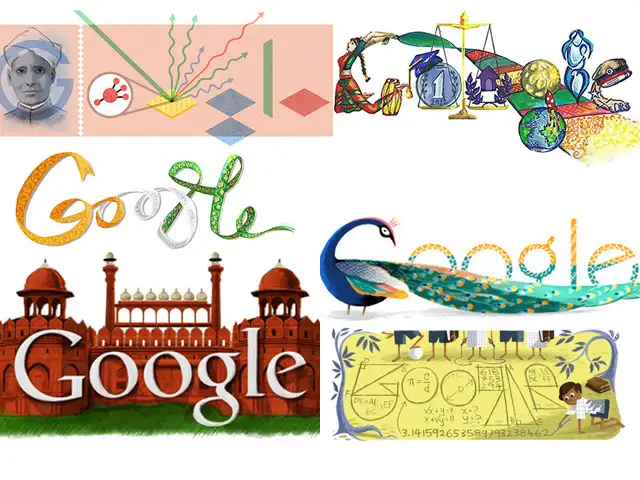
Google is famous not only as a search engine but also for innovative dioodles that its displays on its homepage across countries. Over the years, doodles on the its homepage have made searching on Google more fun and enjoyable for users worldwide.
These doodles honour birth anniversaries of important personalities and significant dates. Here is a look at some doodles that celebrate Indian festivals and people of Indian origin:
Google is famous not only as a search engine but also for innovative dioodles that its displays on its homepage across countries. Over the years, doodles on the its homepage have made searching on Google more fun and enjoyable for users worldwide.
These doodles honour birth anniversaries of important personalities and significant dates. Here is a look at some doodles that celebrate Indian festivals and people of Indian origin: